MyObservability
Lab Setup
Assuming you have Linux system & docker installed.
- We are going to run node_exporter in the host machine (In my case I use fedora)
- We run prometheus container
Installing node_exporter
1. Download and run node_exporter
wget https://github.com/prometheus/node_exporter/releases/download/v1.10.2/node_exporter-1.10.2.linux-amd64.tar.gz
tar xvfz node_exporter-1.10.2.linux-amd64.tar.gz
cd node_exporter-1.10.2.linux-amd64`
./node_exporter
2. Create prometheus config files. for ex:
global:
  scrape_interval: 15s
  evaluation_interval: 15s

scrape_configs:

  - job_name: 'prometheus'
    static_configs:
      - targets: ['localhost:9090']

  - job_name: 'node-exporter'
    static_configs:
      - targets: ['host.docker.internal:9100']
3. Create docker volume
docker volume create prometheus-data
4. docker container to run prometheus server
docker run -d \
  --name prometheus \
  -p 9090:9090 \
  --add-host=host.docker.internal:host-gateway \
  -v /home/sunil/Desktop/Sunil/prometheus/prometheus.yml:/etc/prometheus/prometheus.yml \
  -v prometheus-data:/prometheus \
  prom/prometheus
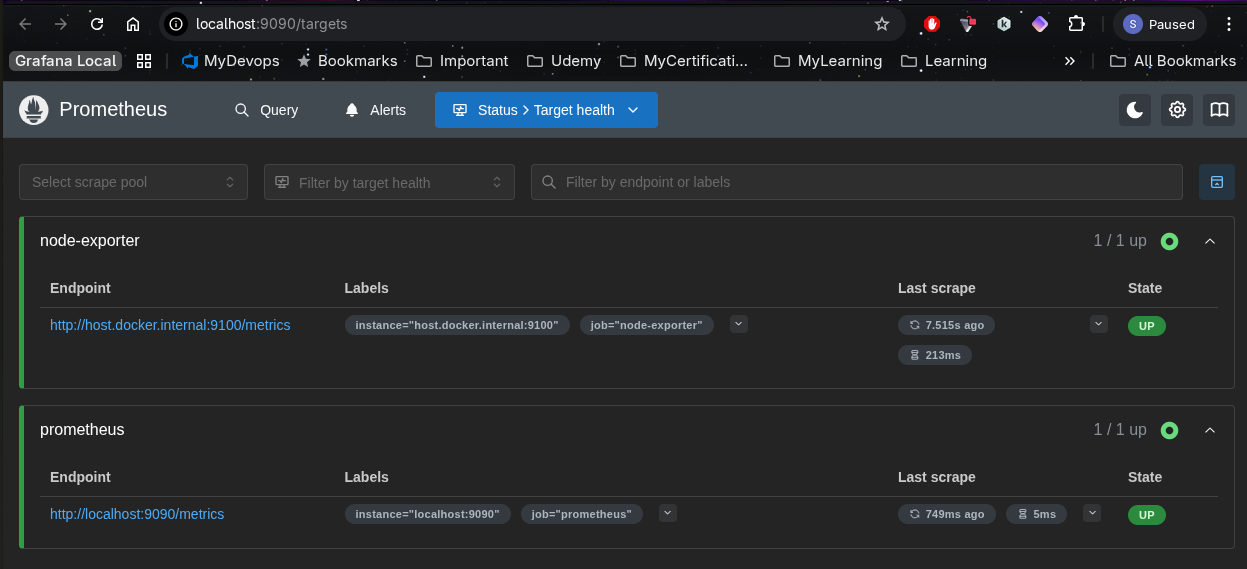
5. validate using the url
http://localhost:9090/targets
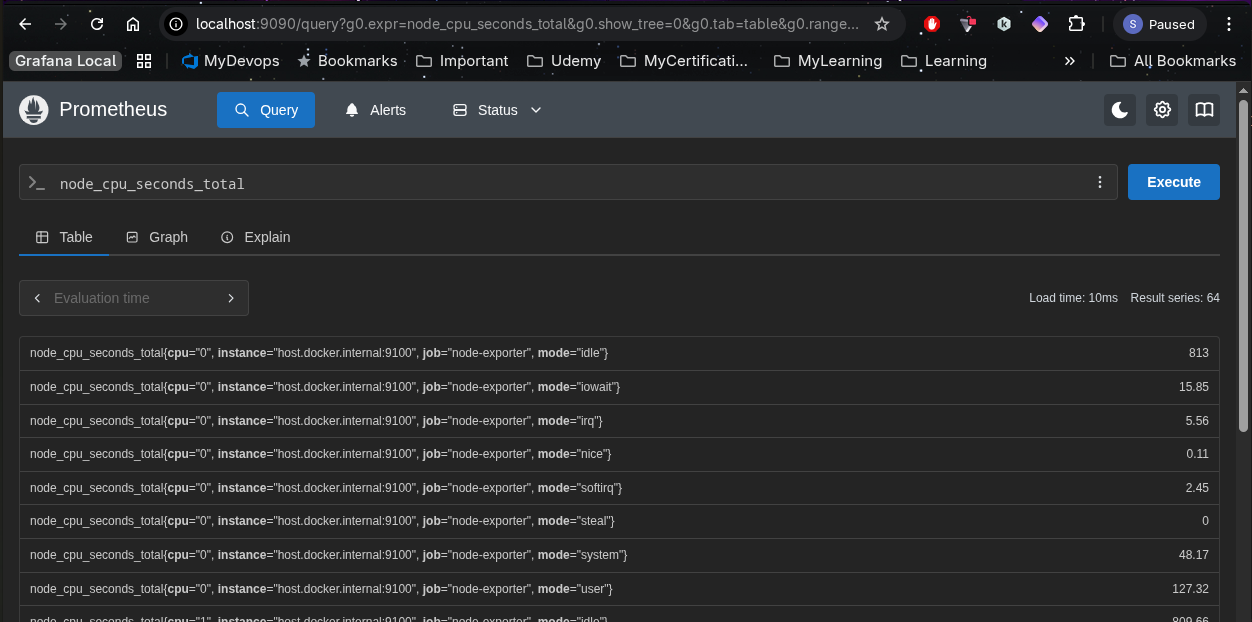
http://localhost:9090/query
6. check prometheus config using promtools
ex: promtool check config /etc/prometheus/prometheus.yml
Next Page: Architecture
Main Page: Click Here